Jenkins++ Integration Experience
CloudBees Unify: Redesigning multi-controller setup for platform engineers at scale
Company
CloudBees (Unify)
Role
Lead Product Designer
Industry
Information Architecture · UX Optimization · Enterprise Systems
Duration
6 Months

Overview
Enterprise engineering teams managing large Jenkins environments faced a fragile and time-consuming setup process. Integrating controllers was done one by one through a hidden drawer-based flow, with no visibility into progress, system state, or configuration errors.
As Lead Product Designer over six months, I redesigned the integration experience from the ground up, turning a linear and opaque flow into a scalable, transparent system that supports both simple and complex environments.
Impact:
↓ Setup time through guided, structured flows
↑ Visibility and control across controller environments
✓ Scalable foundation supporting 100+ controller integrations in a single flow
The problem
Engineering teams in large enterprises were managing Jenkins environments with dozens or hundreds of controllers. The existing integration flow forced them to set up each controller individually through a hidden drawer, with no progress indication, no system-wide visibility, and no clear feedback when something went wrong.
This created slow and repetitive setup processes, silent configuration failures that were hard to debug, and no way to understand the state of the overall environment at a glance.
The opportunity wasn't just fixing a flow, it was redesigning how teams interact with complex infrastructure at scale.
My role
I led design end-to-end as the sole product designer on this project:
Mapped all controller states, transitions, and failure scenarios before touching the UI
Defined system behavior and edge cases in close collaboration with engineering
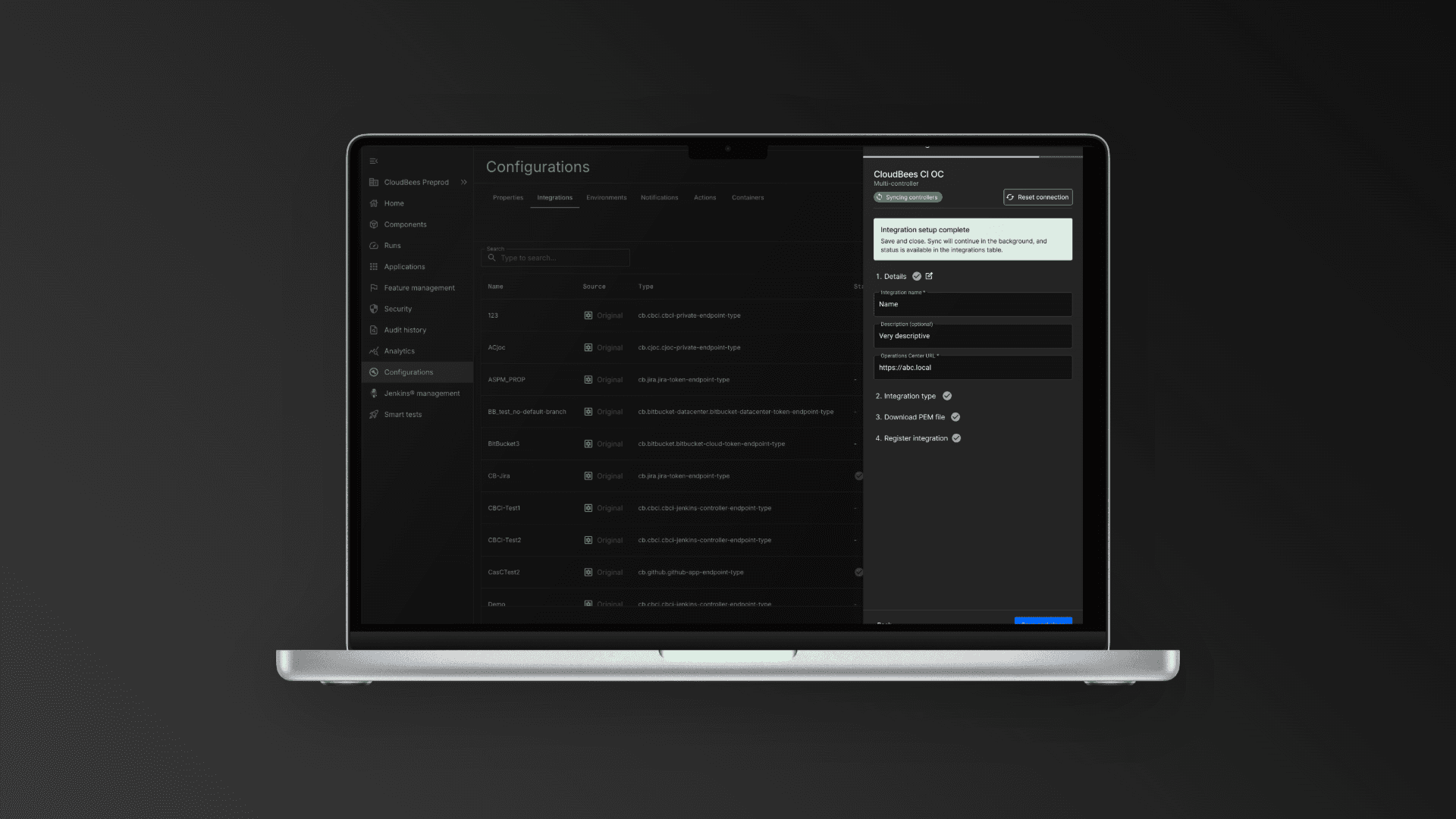
Designed two parallel flows: single controller setup and bulk integration via Operations Center
Created a centralized monitoring surface for system-wide visibility
Established inline validation patterns to surface errors in real time
Worked within technical constraints including plugin dependencies and Configuration as Code (CasC)


The solution
I transformed the experience from a hidden, linear flow into a scalable and transparent system.
1. Structured Setup Flow
Replaced the drawer with a step-by-step flow
→ Clear progress, better guidance, easier recovery from errors
2. Bulk Integration via Operations Center
Enabled automatic discovery and connection of multiple controllers
→ Eliminated repetitive setup for large environments
3. Controller Monitoring Surface
Introduced a centralized table with controller states and actions
→ Gave users visibility and control across their entire system
4. Inline Validation & Error Handling
Real-time feedback on configuration issues (e.g. auth, plugins, URLs)
→ Reduced silent failures and improved troubleshooting
How I approached it
This project required designing for complex systems, not just screens.
Mapped all controller states, transitions, and failure scenarios upfront
Defined system behavior before moving into UI design
Designed dual flows (single vs multi-controller) as first-class experiences
Collaborated closely with engineering on constraints like plugins and CasC
The focus was on making complexity manageable without oversimplifying it.
Outcomes
The redesigned experience scales with real-world environments and reduces friction across the entire setup process.
Results:
Large teams can now integrate 100+ controllers in one flow
Reduced setup time from repetitive manual work to a single guided process
Improved visibility and confidence during onboarding
Established a scalable foundation for future capabilities (bulk actions, filtering, advanced configs)
Key takeaway
Designing for enterprise systems means balancing complexity, flexibility, and clarity.
This project turned a fragile, linear setup into a scalable system that supports both simple and advanced use cases without breaking.
Other projects

Lang.ai CX Platform
AI Workflows for Support Teams: Reducing ticket resolution time by 20% through intelligent automation

Release Notes Redesign
CloudBees CI: Turning a wall of documentation into a searchable, structured experience

Unify AI Dashboards
Product Direction & Design: Defining an AI-powered analytics layer for engineering teams (concept validated, deprioritised)

CI Pipeline Dashboards
Troubleshooting at a Glance: Reimagining failure investigation as a proactive, AI-assisted workflow (concept validated)

Lang.ai Design System
Built from Scratch: From zero to a documented component library boosting team delivery by 25%

Jenkins Design System Reference
For AI-assisted Prototyping: Building shared infrastructure that makes AI tooling reliable for the whole team